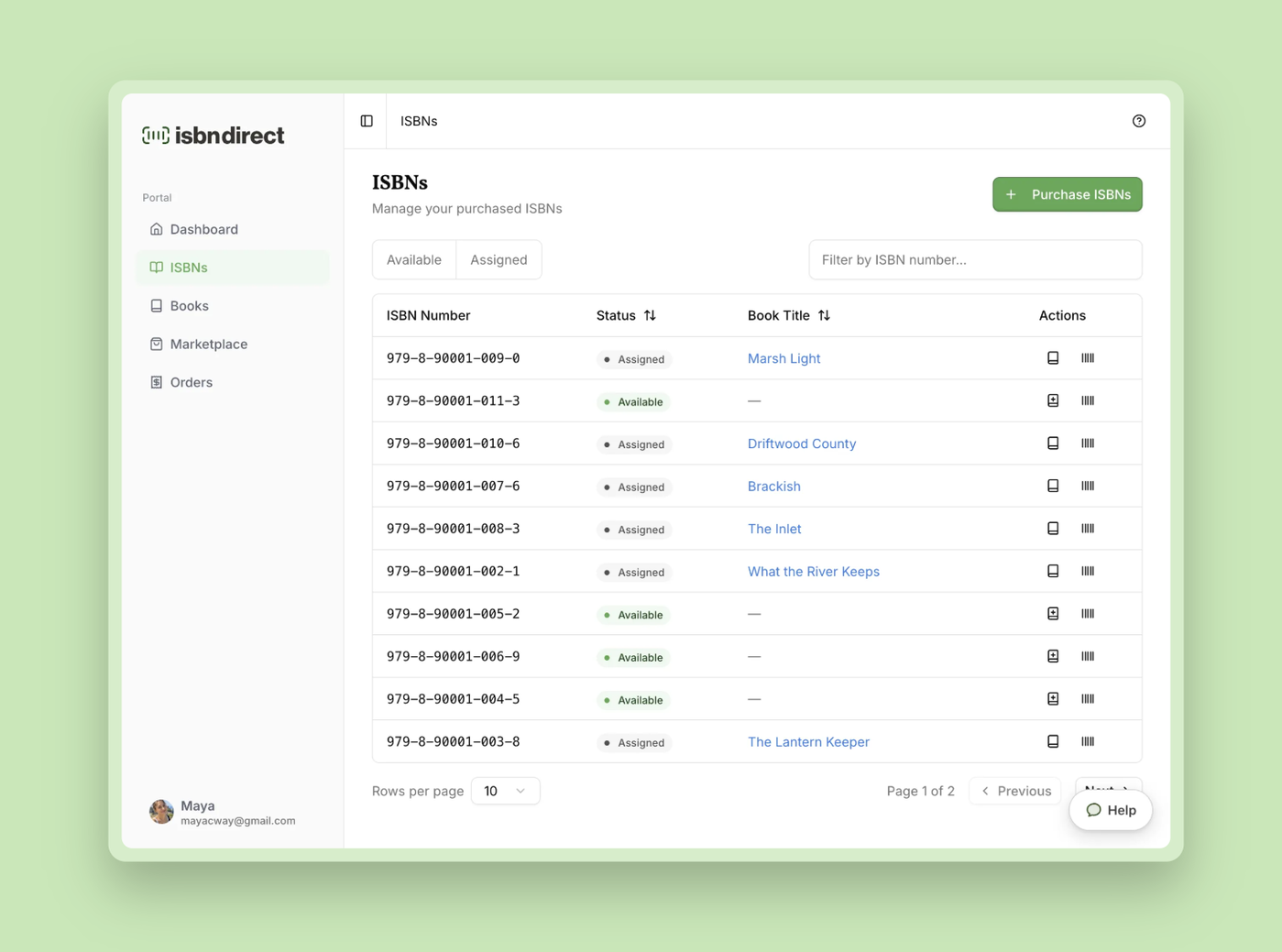
Welcome to our changelog! Here, you'll find all the latest updates, enhancements, and improvements we've made to the portal. Stay in the loop with our evolving platform as we work tirelessly to provide you with the best experience possible. Check out the details below to see what's new!
Jun 30, 2026

Our new portal has been live since June 27, and you may have already noticed. We've rebuilt it from the ground up. It feels familiar, so there's no relearning involved, but under the hood it's a different platform: faster, smoother, and built to grow with you.

Everything has been migrated over, so all your books, ISBNs, and account details are right where you left them.

Here's what's new

A safer way to log in

We've removed passwords entirely. Instead, we send a one-time code (OTP) to your email address, which you enter on the login page to sign in. This means that if a password of yours leaks somewhere else, your ISBNdirect account stays safe, because there's no password to steal.

Google login is still available. It's a handy backup, letting you sign in even if you ever lose access to your email inbox.

We've also retired Amazon login. Usage was low, so we removed it to keep things simple. If you previously signed in with Amazon, you can just log in with your email instead.

Manage your account more easily

The new Manage Account dialog puts you in control. You can add alternative email addresses, see which devices are currently logged in, and connect your Google account to your existing account.

All your orders in one place

The new Orders page shows every order you've placed with us. For ISBN orders, you can also see exactly which ISBNs were assigned at the time. And you can now download your receipt with a single click.

An upgraded barcode generator

We've upgraded the barcode generator in the portal. It works better than before and now lets you export your barcode in JPG, PNG, PDF, and SVG.

Introducing the Marketplace

We've launched a brand-new Marketplace page. Here you'll find our own services (ISBN registration, Press Release Service, and Copyright Filing Service) alongside curated deals from our partners. These are tools and services we use ourselves.

Easier access to support

We've added a new help widget. Our chatbot has worked well in many cases, but we know it could be frustrating at times. We're building a replacement with an easy hand-off to our team, and in the meantime, you now have direct access to real human support.

These are the highlights, but there's plenty more to find. We've added lots of smaller touches throughout, each one designed to make publishing your book a little easier.

Log in and take a look.
Aug 22, 2025

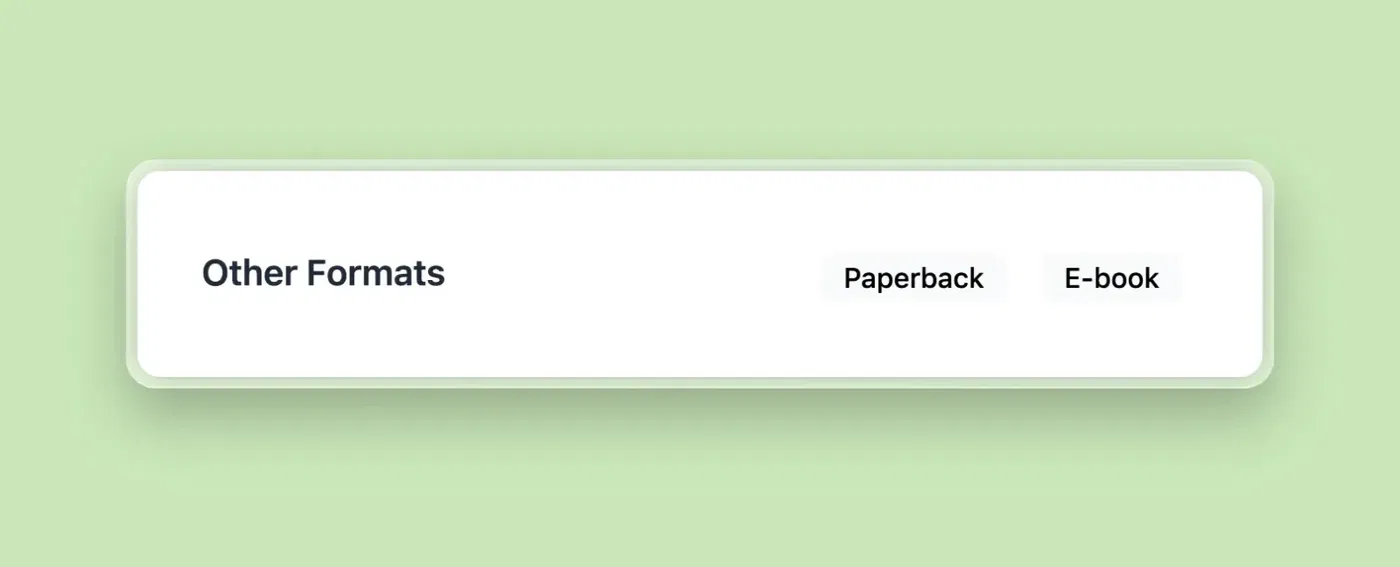
You can now link different versions of your book together on My Book Profile. Visitors will see an Other Formats section, making it easy to switch between your paperback, hardcover, e-book, and audiobook editions.

This feature gives your profile more depth and helps readers find the exact format they prefer.

Since each author’s catalog is unique, you’ll need to link your formats yourself through the ISBNdirect portal. This way, you stay in full control of how your editions connect.

Here’s how to do it:

  • Log in to your ISBNdirect account, go to the Books page, and open one of your books.
  • Switch to the My Book Profile tab and scroll down to the Settings section.
  • Click the link icon all the way to the right of Linked Formats.

By default, the dropdown in the pop-up will suggest books with the same title and subtitle. If your other formats use a different title or subtitle, check the box “Include books with a different title or subtitle.

You can only add books that aren’t already linked. If a book doesn’t appear in the dropdown, it’s already connected elsewhere. Linking works within an existing group, so to add a book to a group, start from a book that’s already part of it.

Apr 14, 2025
We’re excited to introduce MyBookProfile.com, a public, shareable page for your book that brings all your information and retailer links together in one place.

Think of it as a smart profile for your book: beautifully designed, SEO-optimized, and perfect to share with readers, retailers, or media contacts. Best of all — it’s 100% free for ISBNdirect users.

Here’s what your page features

  • Cover, description, ISBN, and key metadata
  • Retailer buttons (Amazon, Barnes & Noble, Apple Books, and more)
  • Mobile-first layout with a clean, modern design
  • Optimized for Google search to help your book get discovered

See a live example

How to activate your page:

  1. Log in to your ISBNdirect account, go to the Books page, and open one of your books.
  2. Then, switch to the My Book Profile tab and click the pencil icon next to “Inactive.”
  3. Click “Publish Now” to make your profile live.
We built MyBookProfile to give your book a permanent, professional presence online, without any extra cost. More features are coming soon, including social sharing functionality, reader reviews, and author pages.

Questions? Click here to read our Knowledge Base.

Dec 31, 2024

Note: This feature is no longer available. See our portal update for the latest changes.

Uploading your book cover is one of the steps when registering your book with us. While it’s optional, adding a cover can make your book’s profile on Bowker Bookwire look more complete and help attract readers.

We’ve made the process easier and faster. 

What's New?

• Drag and drop your cover directly into the uploader.

• Upload from your device, or connect with Dropbox or Google Drive to use files stored in the cloud.

• Preview your upload and make changes, like cropping or applying tweaks, right in your account.

Here's how to use it:

Existing books: Log in to your account, head to the Books page, and click on a book. Next to the current cover, click the pencil icon to open the new uploader.

New books: Go to the Identifiers page and click Assign Book next to an available ISBN. During the fourth step, you’ll find the upload button.

Dec 01, 2024

Note: The Amazon login feature is no longer available. See our portal update for the latest changes.

We’re excited to introduce even more flexibility to your ISBNdirect experience—you can now log in or sign up using your Google or Amazon account!

Whether you’re a new user looking to create an account or an existing user wanting a quicker way to log in, this feature is designed to make accessing ISBNdirect easier and more secure.

Here’s how to do it:

New to ISBNdirect? Simply go to the sign-up page, choose “Sign up with Google” or “Sign up with Amazon,” and follow the prompts to create your account.

Already have an account? You can log in as usual with your email address & password or connect your Google or Amazon account via the Settings page for seamless access in the future.

Jun 08, 2024

We've just launched the new Opportunities tab on our platform, designed to help you supercharge your book listings and connect with more readers.

This new feature provides personalized recommendations to make your book stand out. Whether it’s fine-tuning your metadata, enhancing your cover, or crafting a compelling description, the Opportunities tab offers smart suggestions tailored to your book.

Here's how to do it: log in to your account, navigate to the Books page, click on one of your books, head over to the Opportunities tab, and explore the custom tips waiting for you. Each recommendation is practical and easy to implement, aimed at giving your book the best chance to succeed.

We’re excited for you to try it out and see how these insights can make a real difference. During the next couple of months, we'll be adding more opportunities, so make sure to check back frequently for new suggestions.

Jan 08, 2024

Starting today, you can now purchase up to 10 ISBNs at a time, offering more flexibility for those of you with several books on the horizon. This update comes with the added benefit of an increased discount of up to 35%, making it easier and more cost-effective to manage your upcoming publications.

We've also listened to your valuable feedback and removed the previous restriction that limited this option to new customers only. Now, all authors, whether new or existing customers, can enjoy these expanded purchasing capabilities.

Here's how to do it: log in to your account on our portal, head over to the Identifiers page, and click on "Buy additional identifiers." A new pop-up will appear where you can adjust the quantity of ISBNs up to 10 according to your needs.

We're delighted to bring this update to you and are committed to continuously supporting your publishing journey.

Nov 12, 2023

At ISBNdirect, we're passionate about helping authors and self-publishers expand their reach to readers who prefer different formats—whether it's the feel of a paperback, the convenience of an e-book, or the immersion of an audiobook.

To make this journey smoother, we're thrilled to introduce two improvements:

Clone Book

Say goodbye to manual work when expanding your book into new formats! With our "Clone Book" feature, you can now effortlessly duplicate an existing book to one of your available ISBNs, enabling you to offer it in various formats.

Here's how to do it: Login to our portal, head to the Books page, select one of your books, and click on the "Clone Book" button in the top right corner. A pop-up will appear, allowing you to choose the ISBN, target medium, and format. Once confirmed, we'll handle the rest—automatically registering your book with Bowker. 

Screenshot of the new Clone Book feature

Improved Books Page

We've revamped the Books page with your convenience in mind. Instead of displaying ISBNs, we now show the medium and format of your books. This simple yet effective change makes it easier to distinguish between the same book in various formats. We've designed these enhancements to streamline your self-publishing journey, ensuring it's efficient and user-friendly.

Screenshot of the improved Books page

With these new features, we aim to simplify your self-publishing journey and offer greater flexibility to cater to your readers' format preferences, whether they prefer the feel of a physical book, the convenience of digital reading, or the immersive world of audiobooks. We look forward to how these additions enhance your self-publishing experience.

Nov 04, 2023

We've listened to your feedback and are excited to introduce a helpful new feature! Starting today, you can find the imprint of your book in our portal.

When you visit the Books page, click on one of your books and scroll all the way down to discover the brand-new "Imprint Details" section. In this section, you'll find the imprint information you need when self-publishing a new book on KDP or other platforms. We've even included the Staten House logo, which you're welcome to add to your book to enhance its authority.

If you have a custom imprint, you'll see the name of your custom imprint displayed here.

We hope this feature simplifies your publishing process and provides clear guidance on utilizing our ISBNs effectively. Happy publishing!

Oct 30, 2023

Note: This feature is no longer available. See our portal update for the latest changes.

Introducing our brand-new Services page! We're excited to offer you a range of powerful tools and resources designed to enhance your self-publishing journey.

  • Manuscript Formatting Service: Elevate your manuscript to industry standards, ensuring a seamless reading experience.
  • Cover Design Service: Captivate your readers with professionally designed book covers tailored to your story.
  • Copyright Registration Service: Safeguard your intellectual property rights with formal legal protection for your work.

  Our new Services page is now live and ready to empower your self-publishing journey. To access it, simply log in to our portal and navigate to the Services page using the menu.   

Screenshot of the Services page of the ISBNdirect portal
Oct 09, 2023

Note: This feature is no longer available. See our portal update for the latest changes.

Elevate the professionalism of your book on Bookwire and all associated retailers with our latest feature. The AI Grammar Check ensures impeccable book descriptions and author bios, the cornerstone of a polished presentation.

With this tool, you're not just correcting grammar; you're enhancing your book's reputation. Dive into the Book Details page and the New Book page to experience a seamless process of crafting captivating, error-free content that underscores your book's quality and credibility.

Screenshot of the new AI Grammar Check feature
Subscribe